
I’ve been working on a small Raspberry Pi project that combines a few things I enjoy: vehicles, tinkering with hardware, and building apps that solve very specific problems.
The idea was simple enough. I wanted to use a Raspberry Pi to connect to a Bluetooth OBD dongle, read useful diagnostic data from a vehicle, and display it through a web app. Rather than building a native desktop UI, I’m using the Pi itself to run the web app and then open it full-screen in Chromium, effectively turning the device into a lightweight dashboard.
The app runs in both a live and a (simplistic) simulated mode. The simulated mode is useful as it enables me to build and test the interface without needing to be connected to a vehicle.
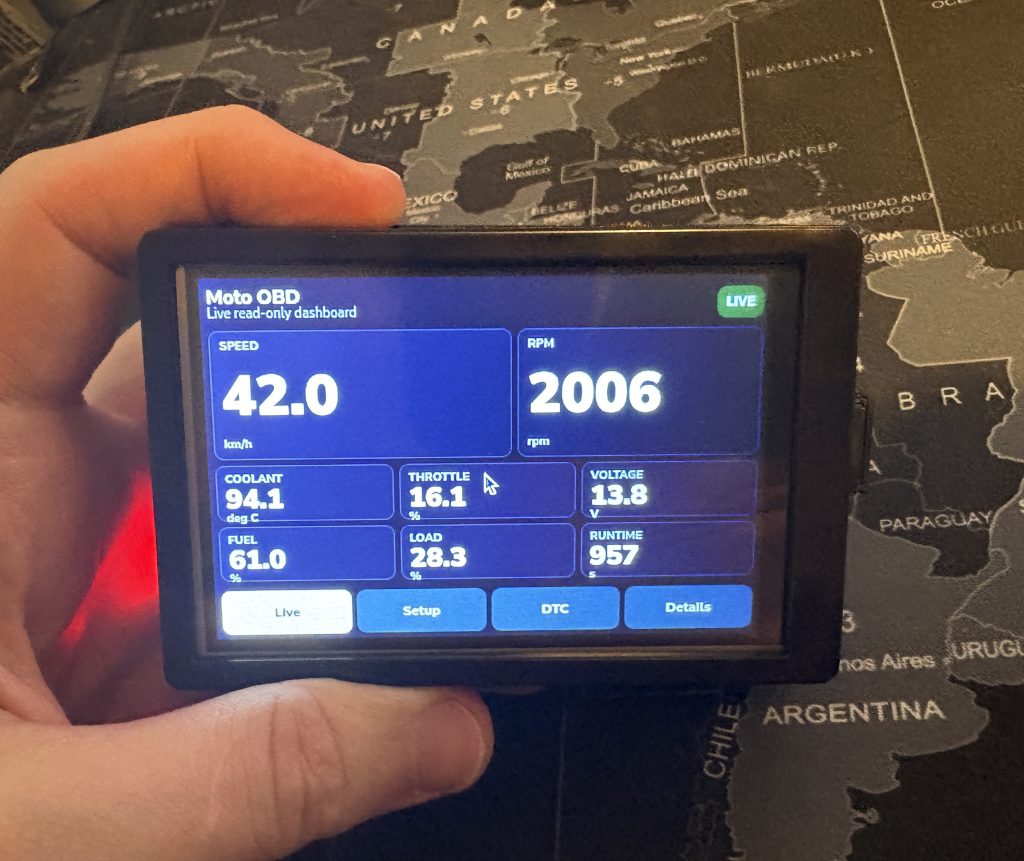
The rough setup looks like this:
- Raspberry Pi with a 3.5inch LCD touchscreen
- A Python web app running on the Raspberry Pi
- Chromium opening the dashboard full-screen (kiosk mode)
- A simulated OBD mode for development
- And Bluetooth OBD support for real data – using an ELM327 Bluetooth OBD device for the vehicle connection.
Below you can see a great way to confuse and frighten your neighbours in your apartment complex car park.
This kind of setup is one of the reasons I like using a web app for the interface. It keeps things flexible. I can view the dashboard directly on the Pi, from another device on the same network, or potentially from a tablet if I want to use something else as the display. It also means the UI can be changed quickly without having to rebuild a full desktop application.
The next goals are:
- Get the app running automatically and reliably on boot
(I have some Bluetooth connection aspects I want to improve to be fully automated upon boot) - Make the fullscreen dashboard behave more like an appliance
- Decide which live values are actually worth displaying
- Improve the UI once I know what data I can depend on