
I’m continuing to exercise Codex’s muscles to develop useful tools. Over the last few days I have been working on a local RAG implementation in Python. RAG stands for Retrieval-Augmented Generation, which is a slightly grand name for a useful process: find the relevant parts of your own material first, then ask a language model to answer using those parts.
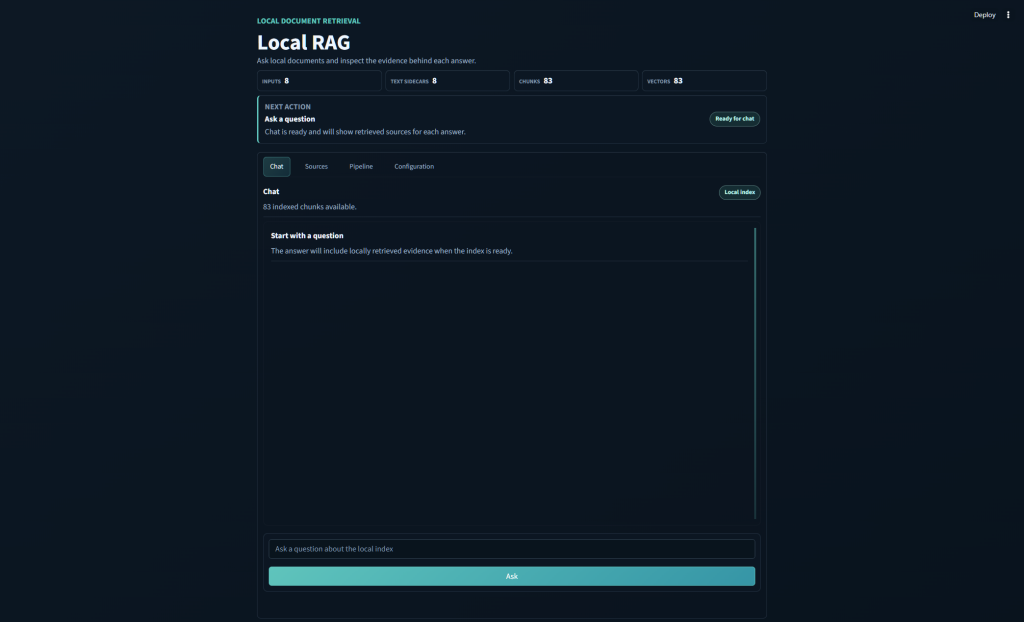
The app takes documents from a local folder, turns them into text, chunks the text, creates embeddings through LM Studio, stores a simple NumPy vector index, retrieves matching chunks for a question, and then asks a local chat model to answer with citations.
I am once again linking this in with something actually beneficial to me rather than a vague aimless project. I’m feeding in my notes from my Japanese lessons, alongside other study materials too.
The basic loop is straightforward:
- Put documents into an input folder (
/Inputs) - Extract or OCR them into text files.
- Split the text into chunks → Embed those chunks.
- Ask a question.
- See response (with citations)
The answer is not just a chat response floating in space. The app keeps track of which chunks were used, including the source file, page number, chunk number, and similarity score. That makes it much easier to tell whether the model is actually answering from the material or just sounding confident whilst outputting nonsense.
Input
The app reads source files from a local Inputs folder. It supports PDFs, plain text, Markdown, reStructuredText, CSV, Word documents, Excel workbooks, and PowerPoint decks.
PDFs necessarily get some special handling because some PDFs already have text, while others are just scanned page images. For scanned PDFs, the app uses OCRmyPDF, Tesseract, and Ghostscript. The default OCR languages are English and Japanese.
For non-PDF documents, the app extracts text directly, supporting: .txt .md .rst .csv .docx .xlsx and .pptx file types.