
A really common use I have for LLMs is for Japanese language learning. As such, I naturally do a lot of quick translation tasks with ChatGPT (often just a single word or short phrase), and I want the responses to be crafted in a specific and consistent way. For example, I often want the translation into Japanese to come with a version using kanji, and a version replacing the kanji with hiragana. Additionally, I like to have a short explanation of any important grammar points, “naturalness” of the phrase etc.
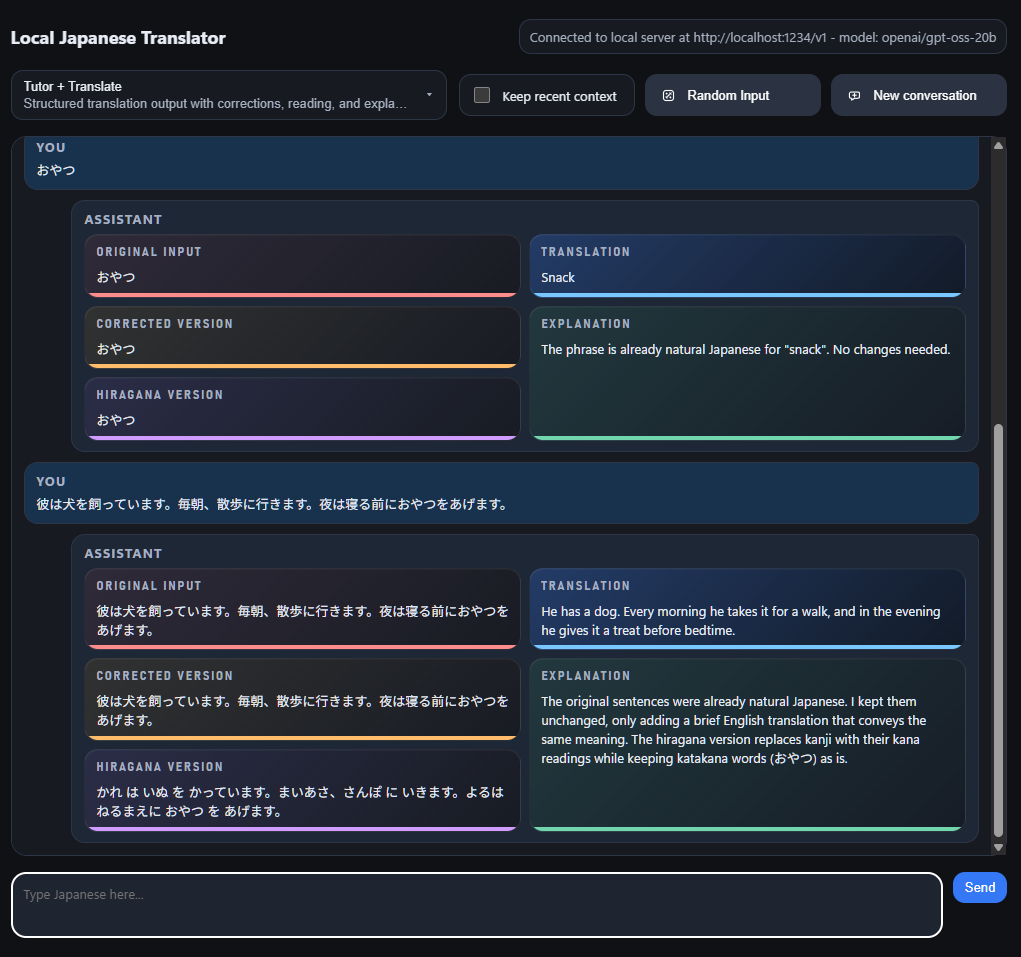
This is achieved quite well by making a custom GPT that is really just the injection of a sufficient system instruction prompt. However, this route has some awkward consequences that make it a little bit more cumbersome than you would first think:
- Keeping a single chat thread with this custom GPT is not a viable option, as it doesn’t take too long until you can feel the inference time slowing down quite notably.
- Starting new Custom GPT chats all the time pollutes your main working environment, as you can’t create them inside Projects.
- You can move Custom GPT chats into projects afterwards, but only on the mobile app (yes, really!).
- Temporary chats don’t exist for Custom GPTs.
- Utilising a project for system prompt instructions rather than a Custom GPT feels like an alternative, but then I’m just building up a load of individual chats there instead. I’m moving the problem around in an attempt to mitigate it, as opposed to solving for what I really want.
Given all the above, I wondered about creating a quick web app that would interface with a locally hosted LLM and provide the punchy response speeds, lack of needing any conversation “management” from me, and the ability to have some different system instruction prompts that I can flip between instantly.
It turns out that yes, it can be done really quite quickly indeed!
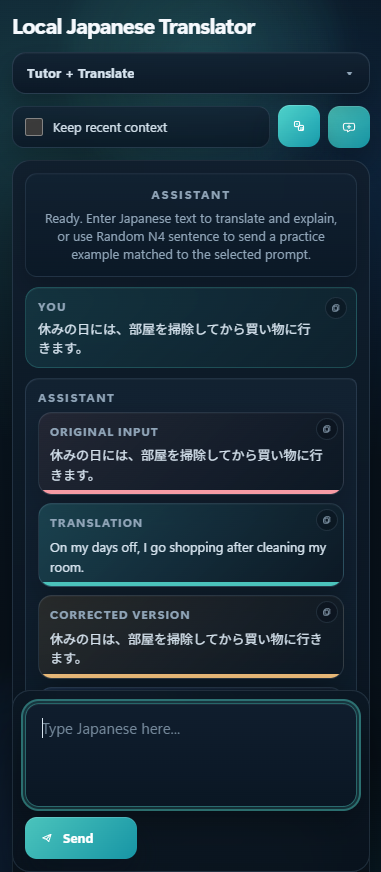
This is a Python app that makes use of Flask. For the LLM, it’s running on OpenAI’s gpt-oss-20b model at the moment (also expeirmenting with the latest Gemma release from April 2026), that I host via LM Studio my local machine with the inference happening on my 4080 Super graphics card.
The dropdown near the top provides a method to quickly select predefined system prompts, to best cater for what you want to achieve. It all stays really fast, as there is no history saved unless you click the checkbox (which introduces the last 6 messages into the context). The New conversation button just wipes the current conversation window.